Free demo environment
Run AegisOne against a realistic estate for 14 days
Your tenant is provisioned in minutes, pre-loaded with roughly 200 fictional endpoints across several sample clients — patch backlogs, drifted assets, open tickets and contract gaps included. Nothing is hidden behind a sales call.
14-day access · No credit card required · Isolated environment
Create your tenant
Register for the demo
We ask for a few details so the sample estate reflects the kind of environment you actually run. Everything optional is marked as optional.
What the demo includes
- 14-day access, no credit card required
- Pre-loaded with a realistic fictional managed estate
- Guided product tour across every shipped module
- Isolated demo environment — never connected to production systems
- Optional walkthrough with our team
The demo cannot touch production
Demo tenants run on separate infrastructure with their own database, isolated from any live customer environment. The estate you explore is generated fictional data. No agent is deployed to your machines, no credentials to your systems are requested, and nothing you do in the demo can reach a production endpoint — yours or anyone else’s.
- Separate database and separate tenant boundary from production.
- No inbound connection to your network is created or required.
- Sample data is fictional and clearly labelled throughout the product.
What happens to your data
Your registration details are used to provision and support the demo tenant. The marketing checkbox is a separate, entirely optional consent — leaving it unticked has no effect on your demo. Full detail is in the Privacy Policy.
Would rather be shown around?
A guided session covers your actual environment and the questions a sample estate cannot answer. Book a walkthrough or email sales@aegisone.lynxclub.ph.
Before you fill anything in
This is what is waiting inside the tenant
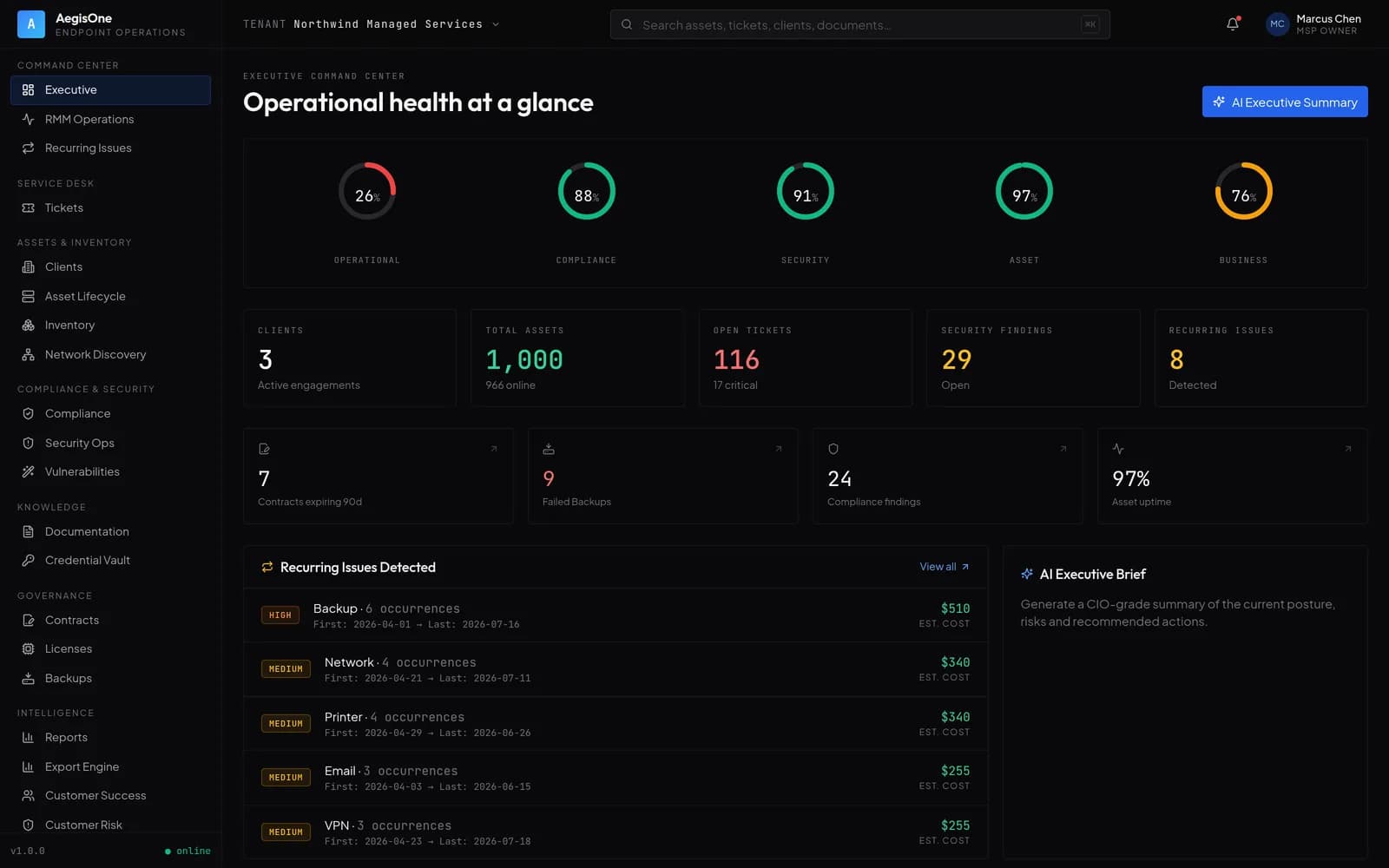
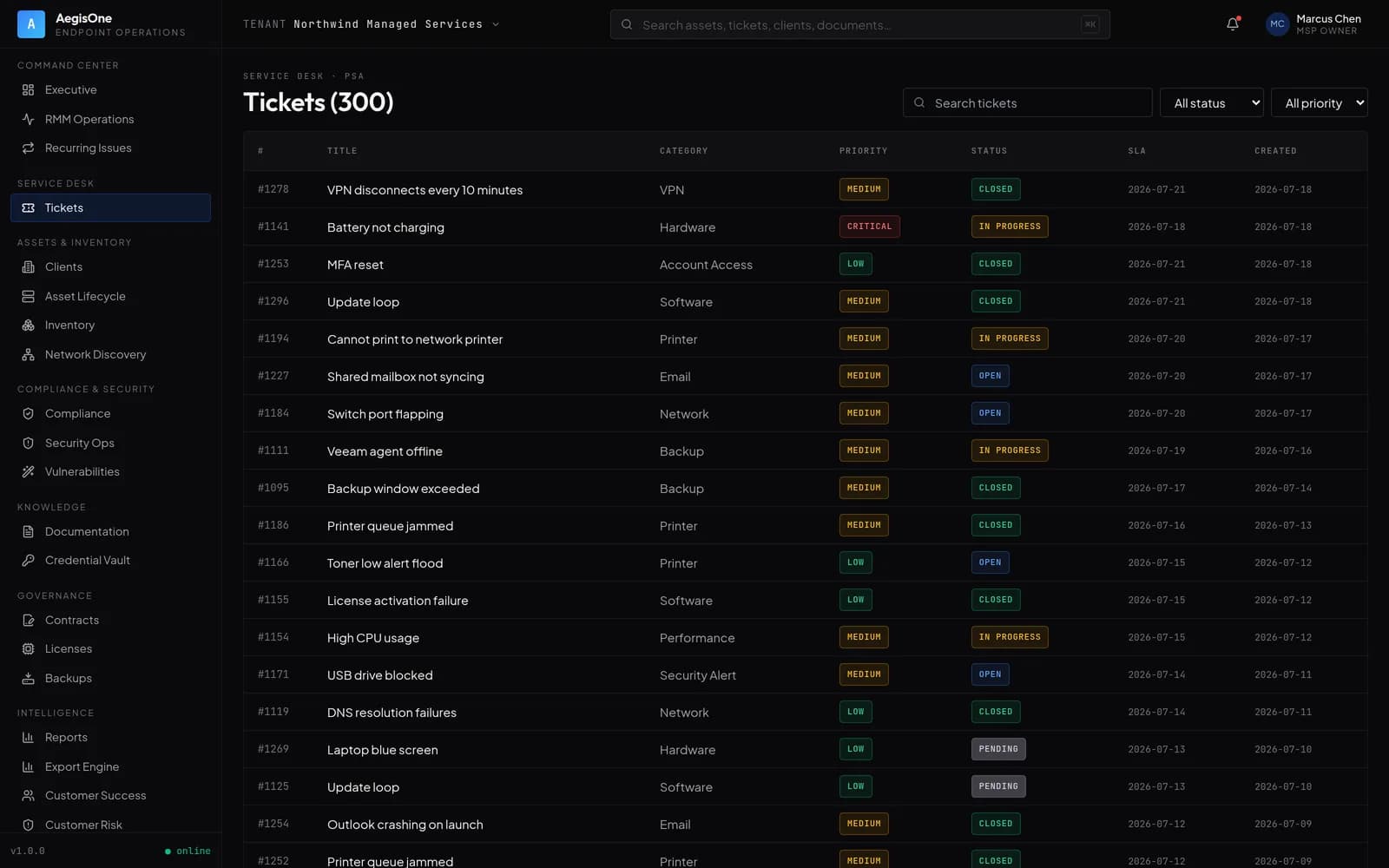
The sample estate is populated on the way in, so the first screen you see already has an estate on it: sites with health you can read, contracts that do not match delivery, and a patch backlog to work through.
Compliance
96.4%
Across 1,284 endpoints
Pending
46
Devices with updates due
Failed
4
Requires attention
By operating system
Guided tour · 9 stops
Every module the tour covers is one that ships
Stop 01: Dashboard
The estate at a glance — what is online, what is drifting and what needs a person today.
Stop 02: Clients and sites
The structure everything else hangs off: clients contain sites, sites contain endpoints, departments cut across both.
Stop 03: Endpoints
Open a single machine and read its hardware, software, resource position and recent operator actions.
Stop 04: Patch management
Scan, install and roll back patches, and watch the compliance position move as you do it.
Stop 05: Remote terminal
Open a ticketed shell on a sample endpoint. The session is bound to your operator identity and written to the audit log.
Stop 06: Asset inventory
Hardware, software and warranty inventory, with a per-asset timeline of what changed and when.
Stop 07: Compliance
Score the sample estate against control frameworks, work the findings register and export an evidence package.
Stop 08: Reporting
Generate a client report from the catalogue and export it to PDF, Excel or PowerPoint.
Stop 09: AI assistant
Draft a root-cause analysis or a quarterly review from the sample data. Advisory only — nothing executes on a generated recommendation.
The tour stops where the product does. There is no preview screen for alerting, a script library, software deployment or single sign-on, because none of those exist yet.
The interface illustrations above use invented values and are drawn, not screenshotted — each carries its own marker. Your demo tenant is generated separately and its figures will differ.
Where to start
Four things worth doing in the first ten minutes
The tenant is fully populated, so you can go straight to the parts of the product that are hard to judge from a feature list.
- 01
Open the reconciliation view
See the sample estate scored against its contracts — endpoints managed without entitlement, licences past their limit.
- 02
Push a patch cycle
Run an approval and deployment across a sample client and watch compliance move on the dashboard.
- 03
Trace a recurring issue
Pick a ticket with history behind it and follow how the platform links symptom to root cause across tickets.
- 04
Generate a client report
Produce the evidence pack you would actually put in front of a client at a quarterly review.
Every figure inside the demo tenant comes from generated sample data and is labelled as such in the product. None of it represents a real customer, a real environment or a measured benchmark.